
How to change your logo
Your logo is the first thing customers see on every page, so it is worth getting just right. Swapping it takes about a minute.
Step 1: upload your logo
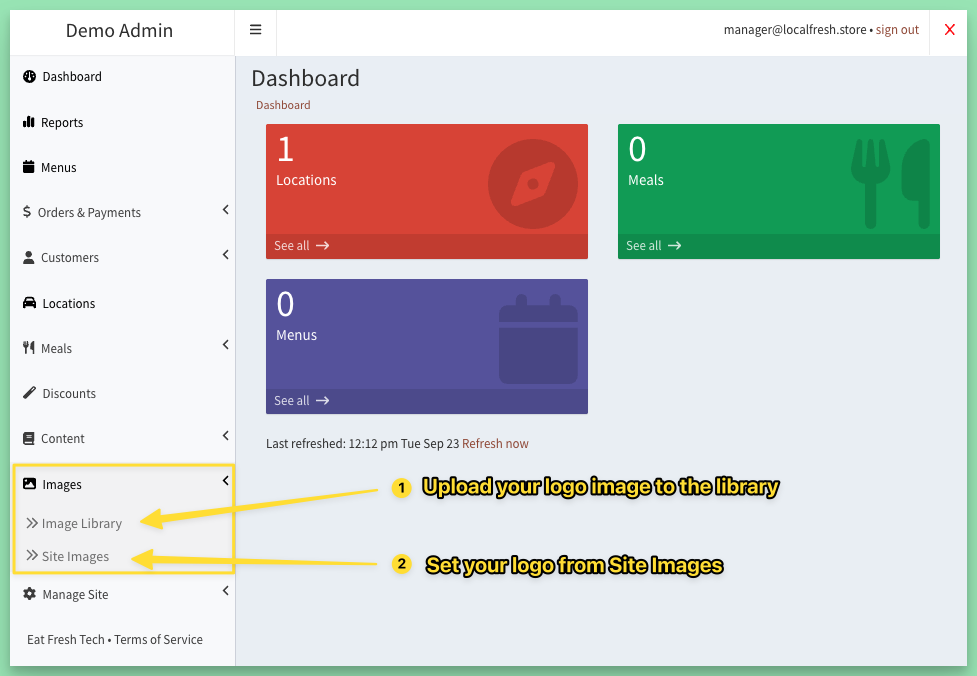
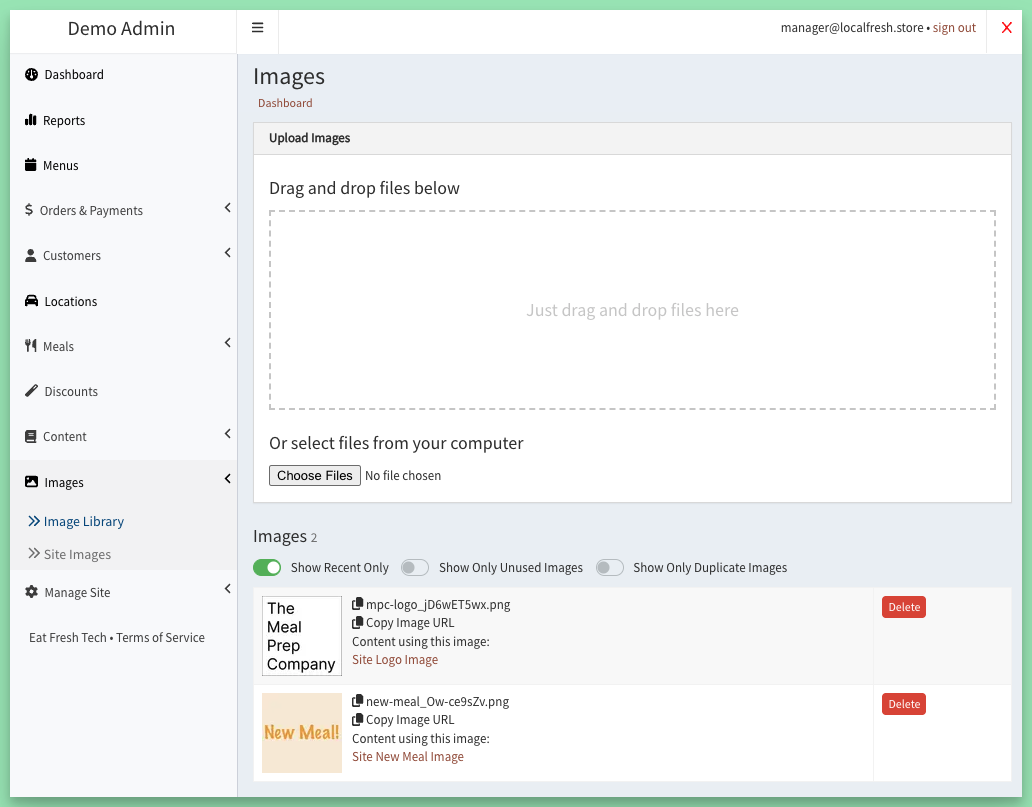
Go to Images > Image Library and upload your logo file.
Step 2: set it as your logo
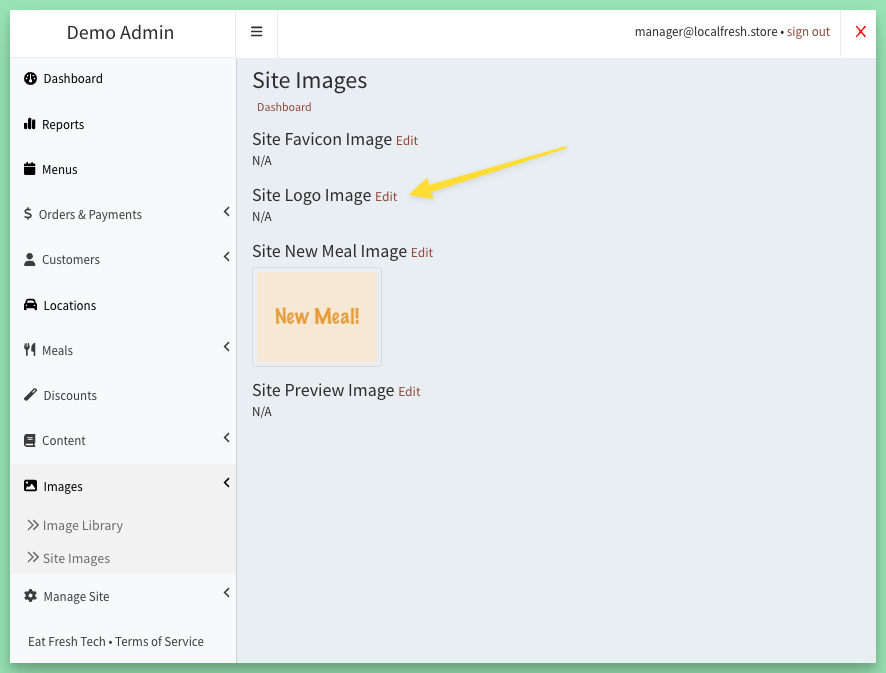
Go to Images > Site Images and click Edit next to Site Logo Image.
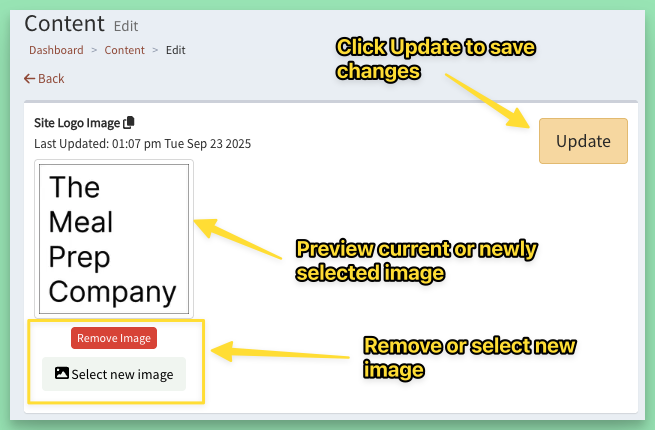
Click Select new image and pick the logo you just uploaded.
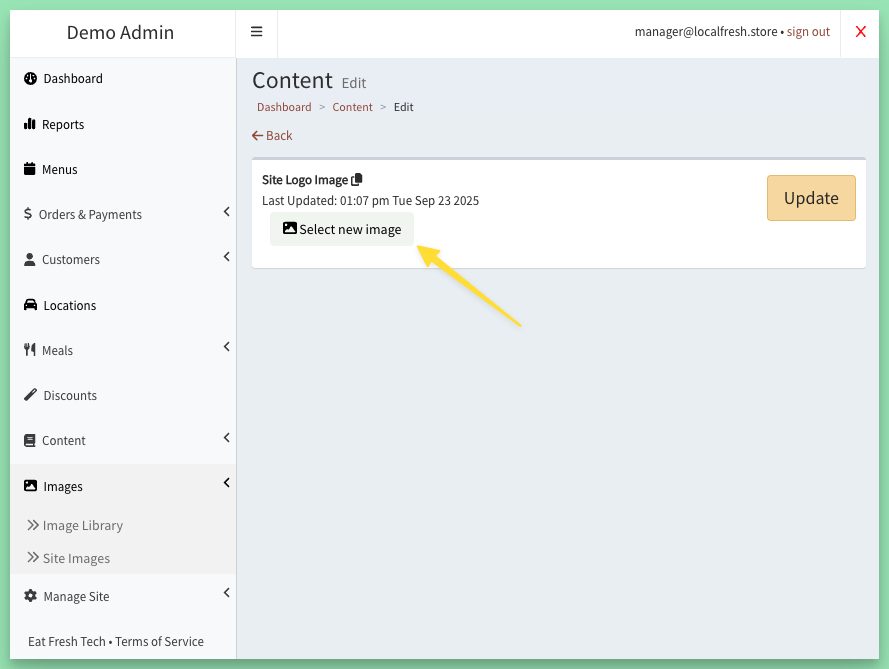
Check the preview. Not quite right? Remove it or pick another. When you are happy, click Update.
Step 3: see it on your site
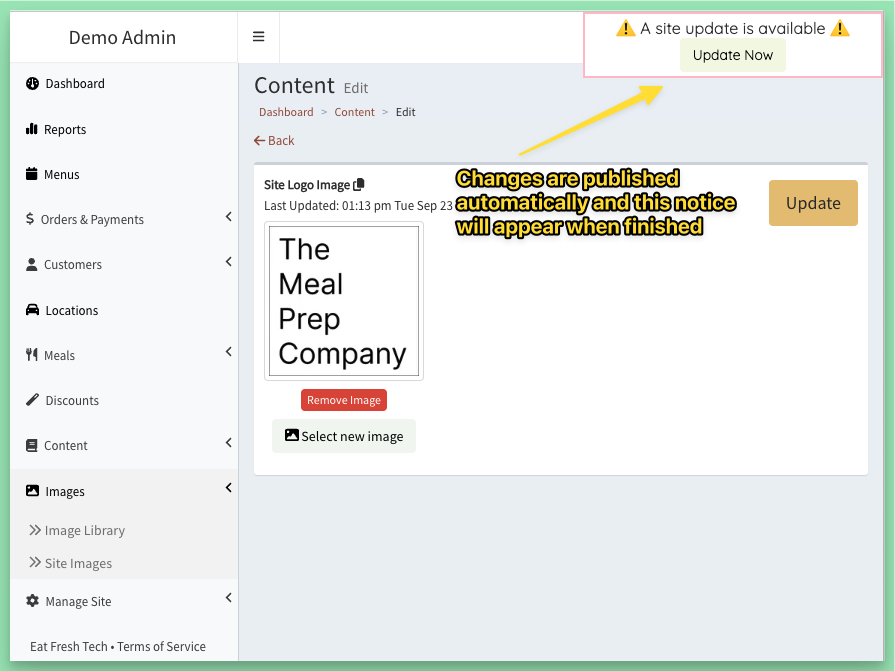
The change publishes itself. When the "A site update is available" notice appears, click Update Now or refresh the page to see your new logo.
Tips
- A logo with a transparent background looks crisp on any color.
- Your site can also use different versions of your logo for the header, the footer, labels and packing slips. See Site Theme and Site Images: make the site look like you.
Keywords: branding, upload logo
Related
Was this helpful?