
How to edit Product Categories
Categories are how your meals are grouped behind the scenes: Lunch, Dinner, Breakfast, Sides, Sauces and so on. They decide the order meals appear in when a menu section mixes several categories, so a quick tidy-up here can make your order page feel much more natural.
Where they are
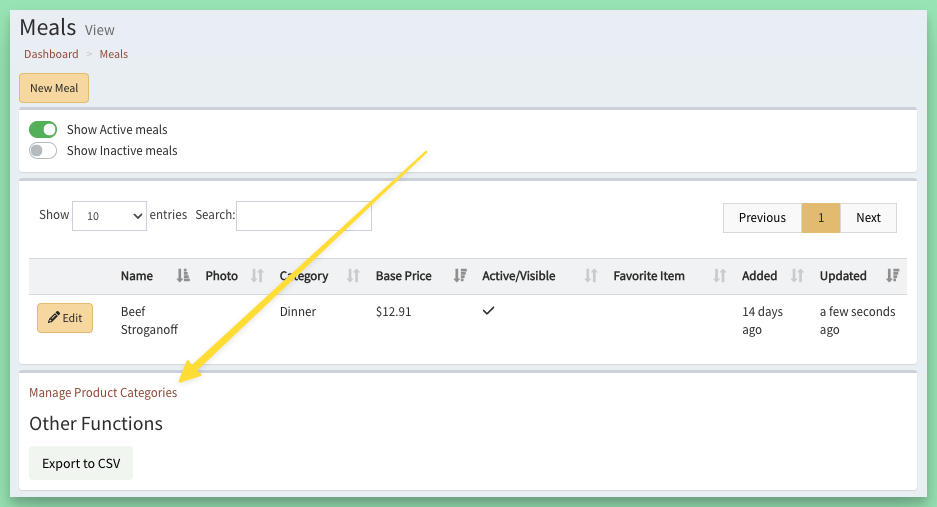
Go to Meals > Product Categories, or click Manage Product Categories at the bottom of the Meals page.
Changing the order
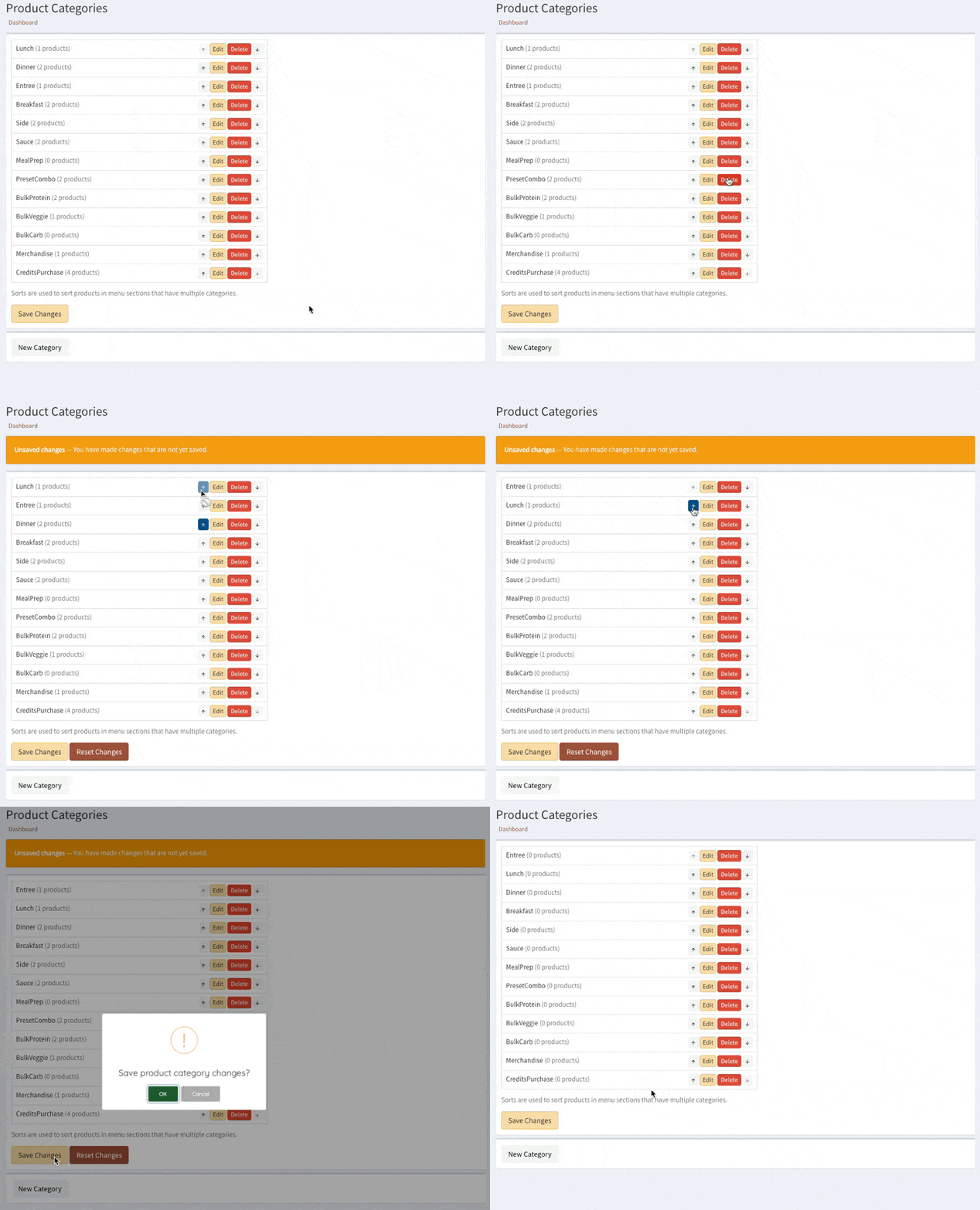
When a menu section holds meals from more than one category, they are sorted in the order shown here. Use the up and down arrows to rearrange them.
Renaming a category
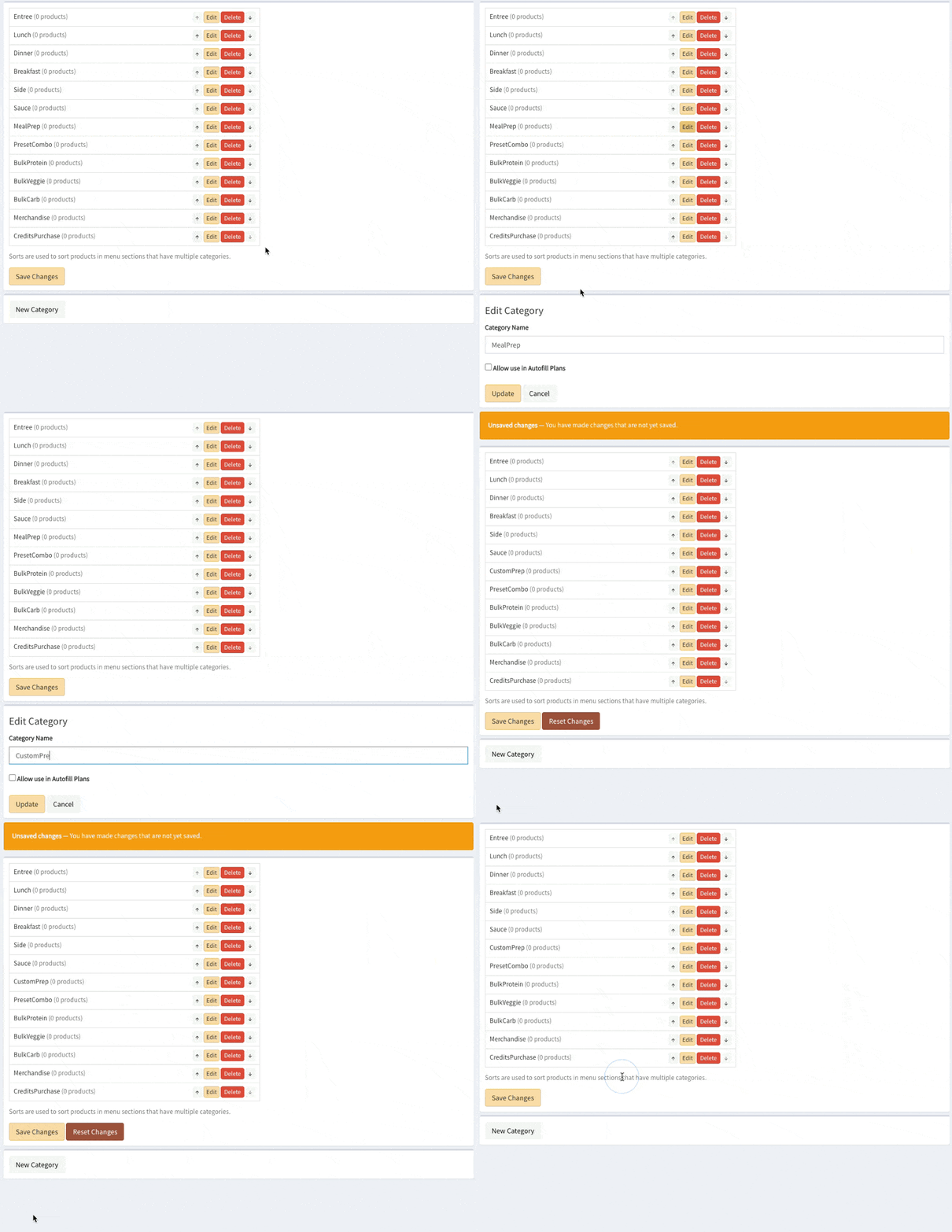
Click Edit next to the category, type the new name, and click Update.
Saving your changes
Your changes wait for your review until you save them. Click Save Changes, then OK.
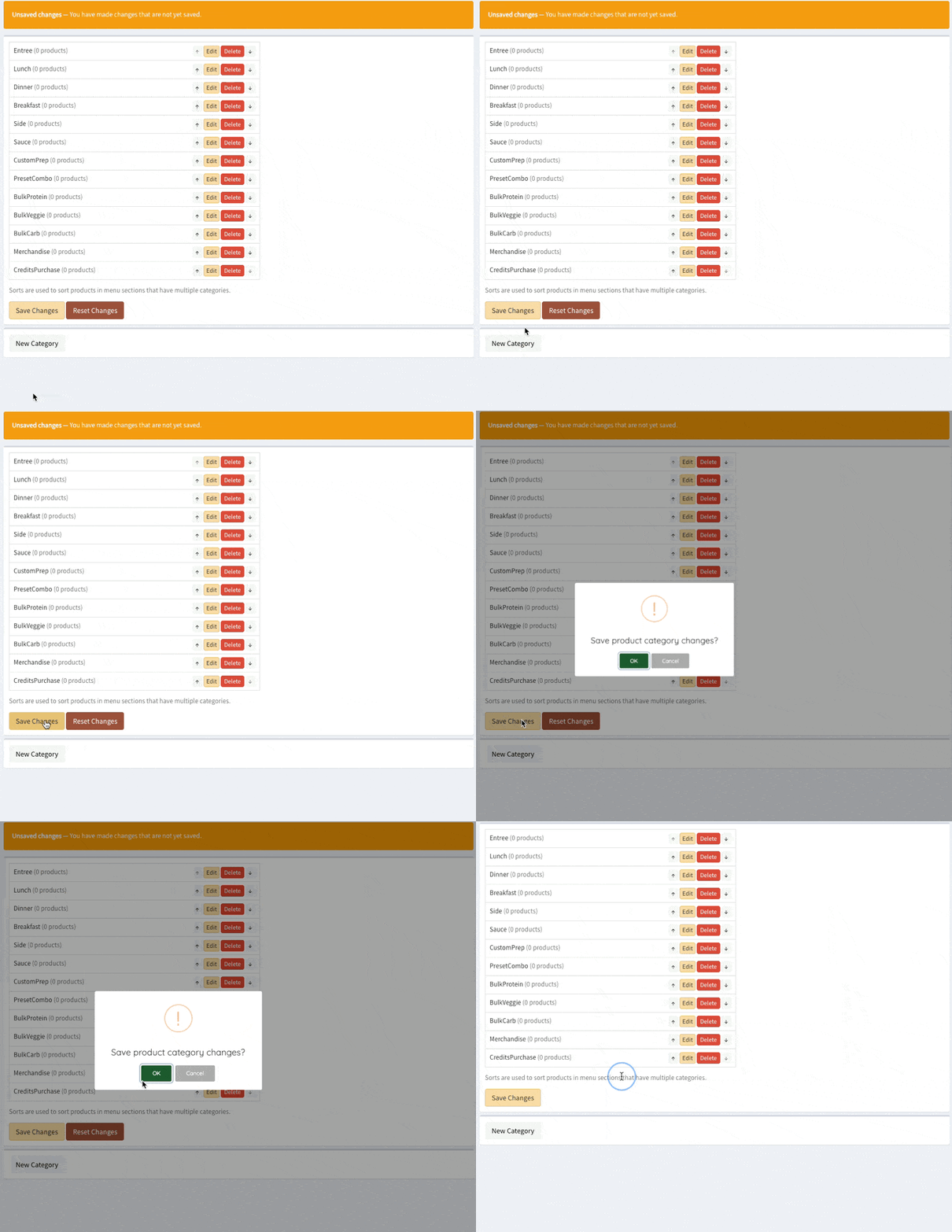
The change publishes itself within seconds. When the "A site update is available" notice appears, click Update Now (or open the site in a new tab) to see it.
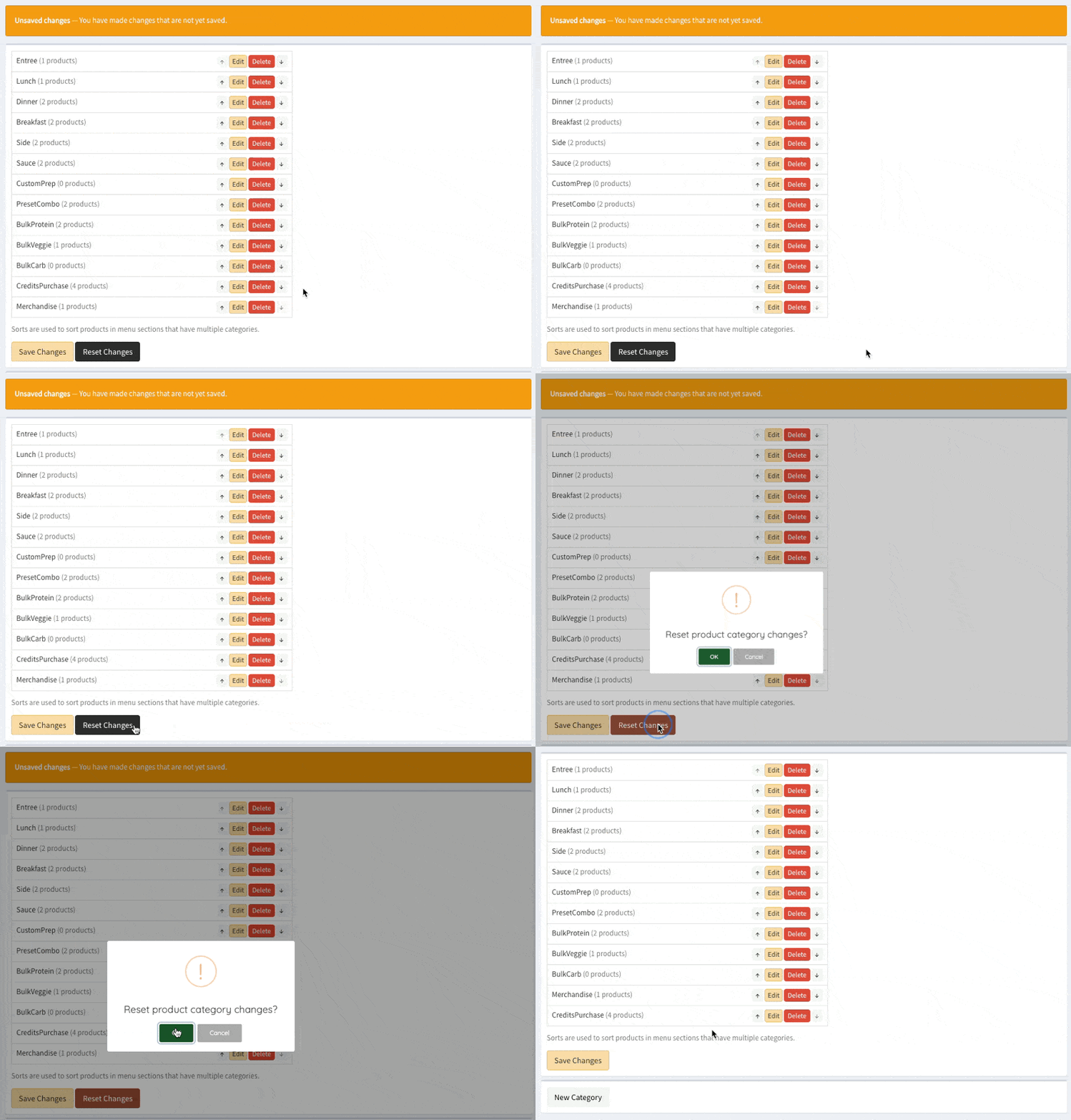
Changed your mind before saving? Reset Changes throws away anything you have not saved yet.
Good to know
- A category that already has meals cannot be renamed or deleted, so your past reports stay accurate.
- Once saved, a change cannot be undone with Reset Changes; simply make the change you want and save again.
- Which categories appear in which section of your menu is set in the Menu Sections editor. See How to edit Menu Sections.
Keywords: menu categories, rename category
Related