
How to access your admin dashboard
The admin dashboard is your mission control: menus, meals, orders, customers, reports and everything else that runs your site. Here is how to get in and find your way around.
Getting in
Log in to your site first. Everyone with admin access then sees an Admin link in the site header.
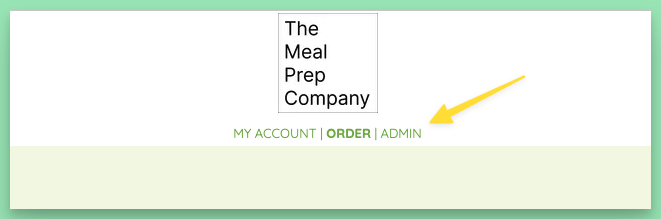
Click it and your dashboard opens.
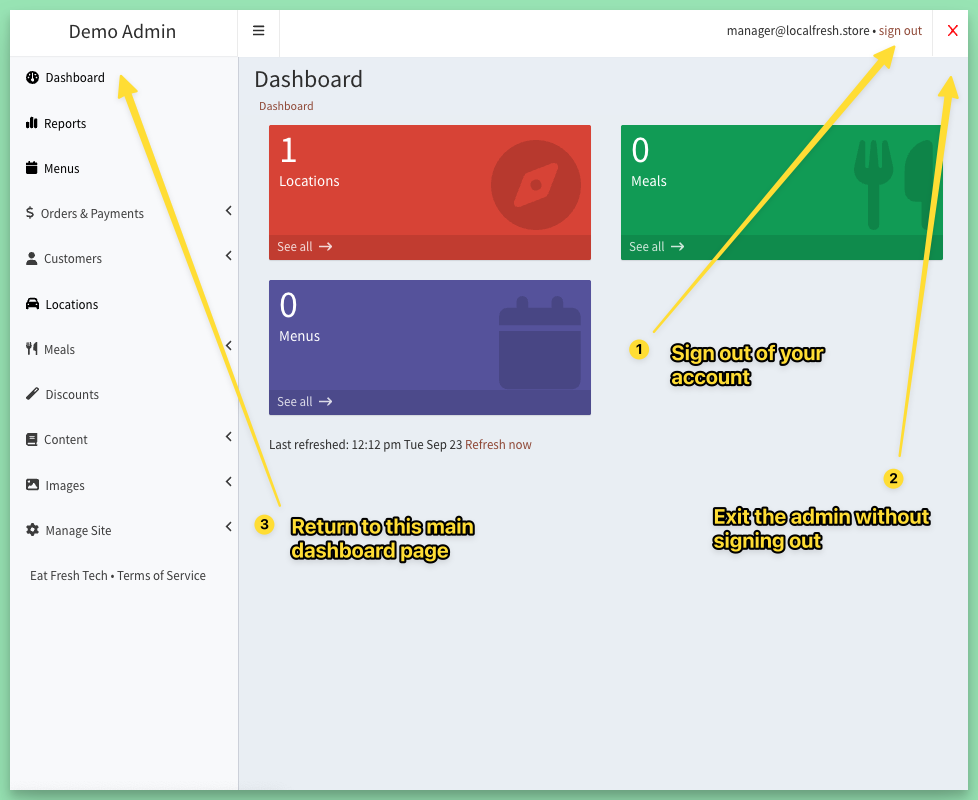
Finding your way around
- Sign out (top right) logs you out of your account.
- The red X closes the admin and takes you back to your site, still signed in.
- Dashboard in the side menu brings you back to this main page from anywhere in the admin.
The boxes on the dashboard show quick counts, such as locations, meals and menus, and link straight to each list. Items that need your attention show up here too. See Dashboard action items: what needs your attention.
Not seeing the Admin link?
- Make sure you are logged in: your My Account page should show your details.
- Refresh the page, or log out and back in.
- Ask your site's Owner or a Manager to give your account an admin role. See How to manage admin users and roles.
- If you are the Owner, message us and we will sort it out.
Keywords: login, sign in, admin panel
Related
Was this helpful?